|
These are all traditional (public domain) tunes, transcribed by Chubby Sparrow Music. Enjoy!
Note! Most browsers won't print the high rez versions properly using the browser window. See below for detailed printing instructions, and notes on midi files.
|
2013 Earth Day Harp Circle Tune: Come Give Me Your Hand
(Duet with Chords, incl. notes for lever harp)
Come Give Me Your Hand - PDF format (for printing)
(right-click & choose "save as")
Midi file (left-click to play, right-click to save)
|
2013 Earth Day Tune #2: Evensong (The Bays of Harris)
(Slow Air with Chords & Lyrics)
Evensong - PDF format (for printing)
(right-click & choose "save as")
Midi file (left-click to play, right-click to save)
|
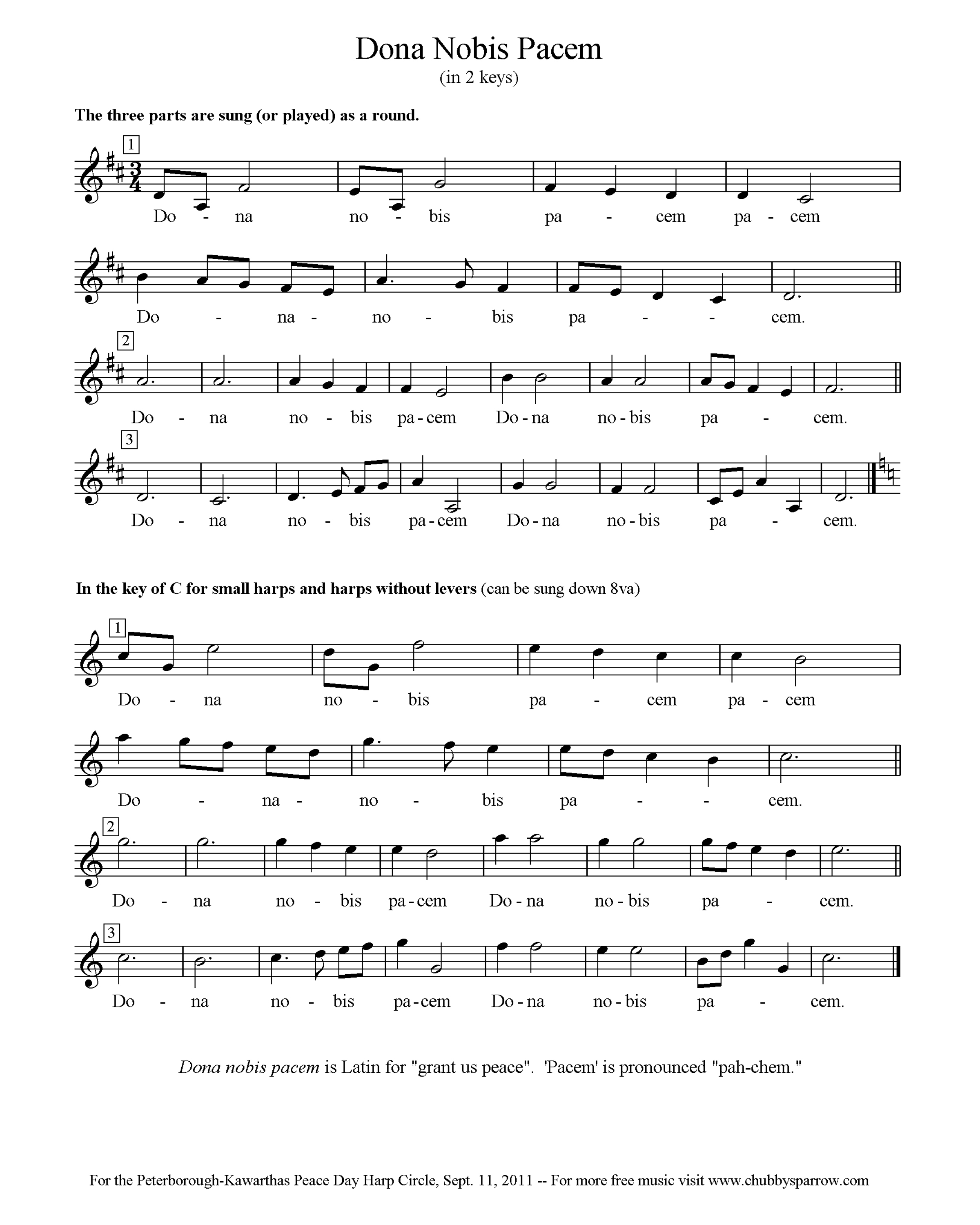
2012 Peace Day Harp Circle, Tune #1: Dona Nobis Pacem (in two keys)
Dona Nobis Pacem - Hi Rez JPG (300 dpi)
(right-click & choose "save as")
Midi file (left-click to play, right-click to save)
|
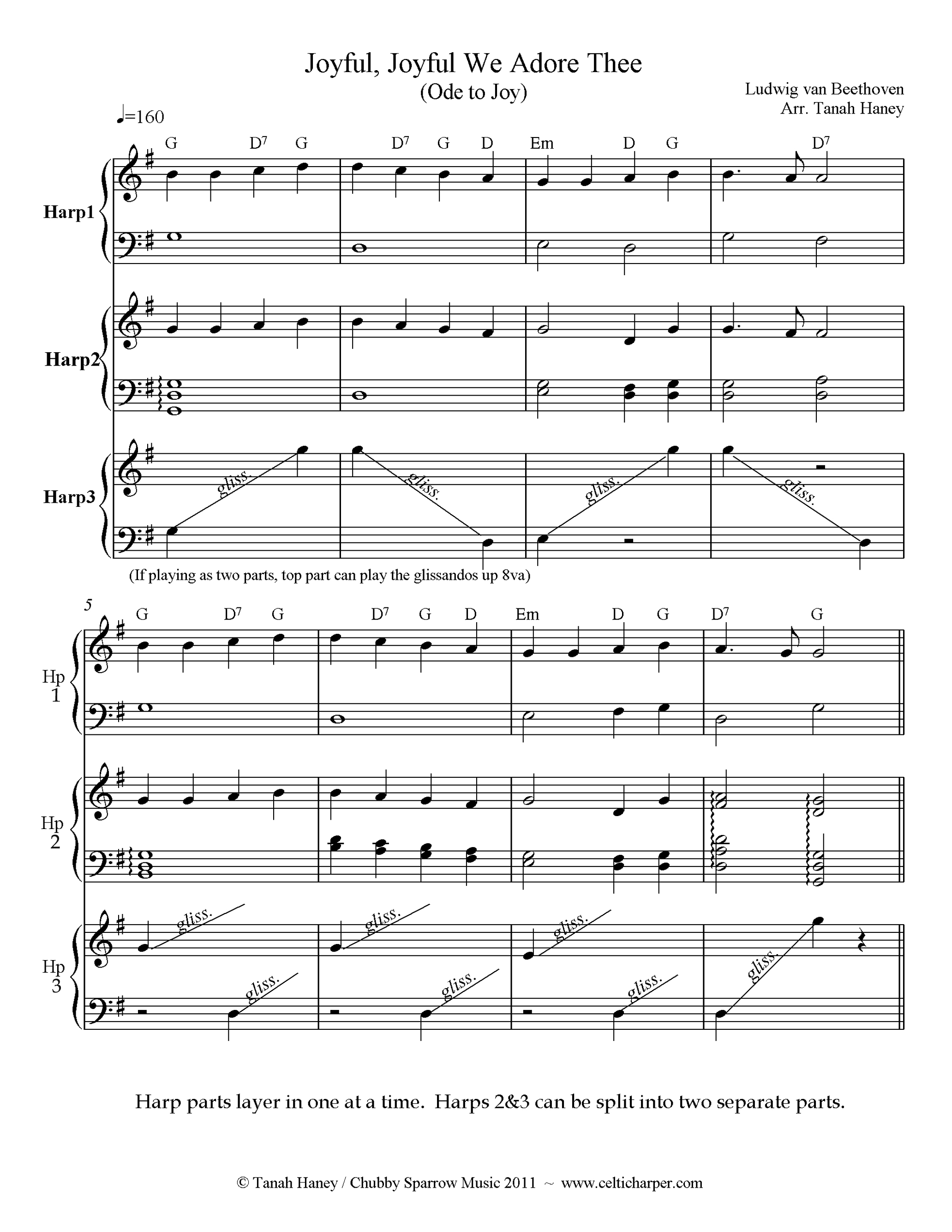
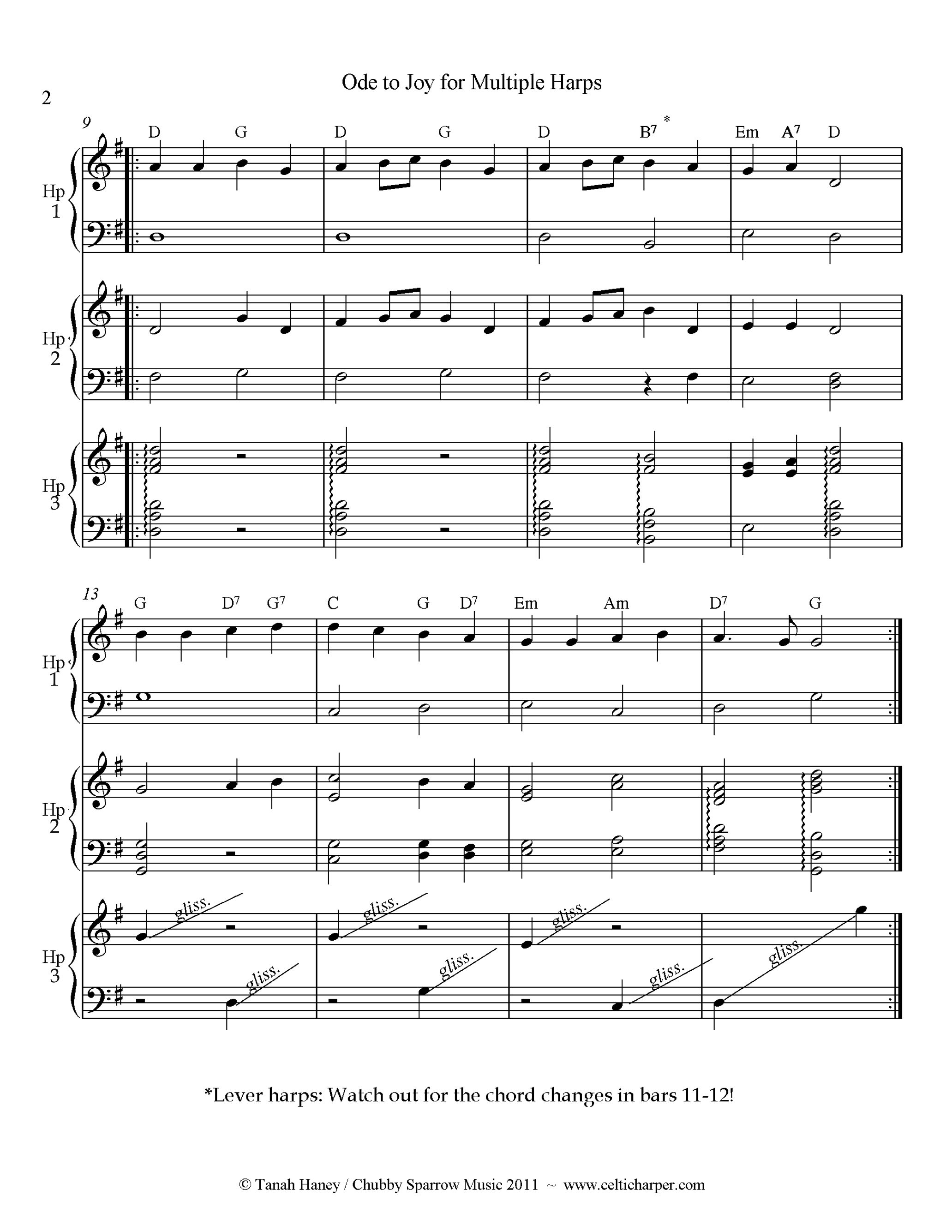
2012 Harp Circle Tune #2: Ode to Joy for Multiple Harps (Arr. Tanah Haney)
Ode to Joy - Hi Rez JPG (300 dpi):
 PAGE 1 / PAGE 2 (right-click & choose "save as")
Midi file (left-click to play, right-click to save)
|
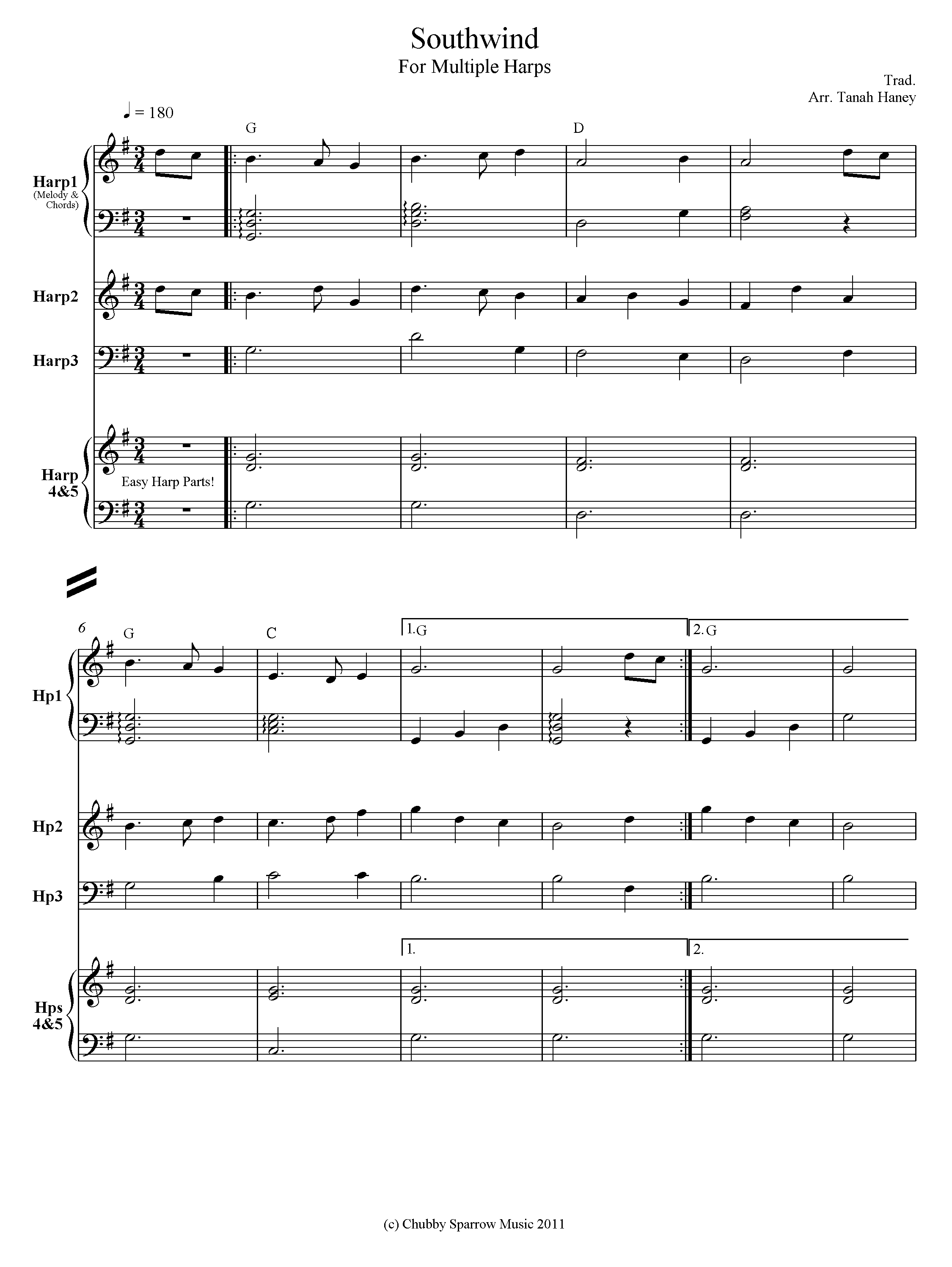
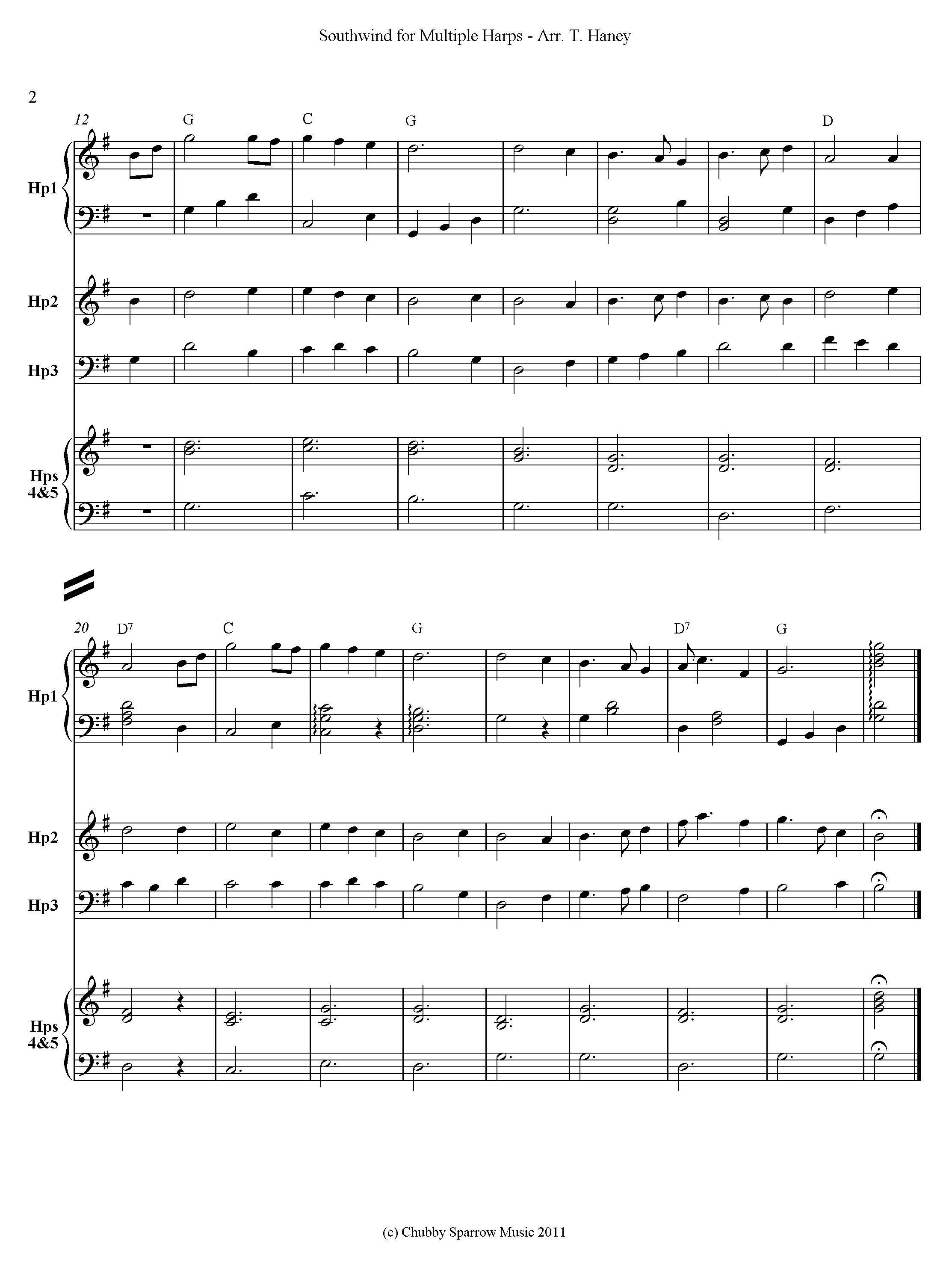
2012 Harp Circle Tune #3: Southwind for Multiple Harps (Arr. Tanah Haney)
Southwind for Multiple Harps - Hi Rez JPG (300 dpi):
PAGE 1 / PAGE 2 (right-click & choose "save as")
Midi file (left-click to play, right-click to save)
|
|
Top / Chubby Sparrow Main / The Celtic Harp Page / The Harp Blog
|
Notes on Printing and Saving Music: It's come to our attention that most browsers won't print JPG images properly if they're over 72 dpi, so we're now offering two versions: low rez and high rez. To print a high rez (better quality) version of the music, choose the high rez option, right click and choose "save target as" (or "save link as"). Save it to disk, open it on your computer and print that way. The low rez (72 dpi) versions can be printed directly using your browser window, however the quality of the print music won't be quite as good.
To play the midi files, simply left-click on the link. To save midis for later, right-click and choose "save link as". If you want to convert the midi files to a score, you will need basic score-writing software. There are numerous programs available for creating scores and/or manipulating midi files, such as Sibelius, Finale and Cakewalk, all of which have free demo versions and a range of products from novice to professional (our site doesn't endorse any product or company, these are just some of the ones that we're familiar with).
|
|
Top / Chubby Sparrow Main / The Celtic Harp Page / The Harp Blog
|
More Trad. Midi Tunes - In Alphabetical Order
Note For Harpers: There are no accidentals in any of these tunes
Spring Peeper Main Page / Chubby Sparrow Music
/ Ordering & Contact Info
Top Back to the Celtic Harp Page Back to the Harp Blog
|